Before
Printouts
Static, not adaptable, wrinkled after the first sweat-through.
With Playbook
Straight to the phone
Share a drill with one tap — players have it ready to review after practice.

 Table tennis tactic board · live
 The digital tactic board for table tennis training: sketched on the tablet, shown on the TV for the group. Every drill stays in the archive — and goes straight to your players via WhatsApp, email or link.
Static, not adaptable, wrinkled after the first sweat-through.
Share a drill with one tap — players have it ready to review after practice.
Too small from three metres away. Pens dry out. Writing smears after an hour.
Crisp projection, visible from every spot — for the whole group at once.
Typing every drill into a document at night? Nobody has time for that.
Every drawn drill is saved instantly — the session plan writes itself.
Most players want to do something between sessions but don't know what. Without you the drill stays fuzzy.
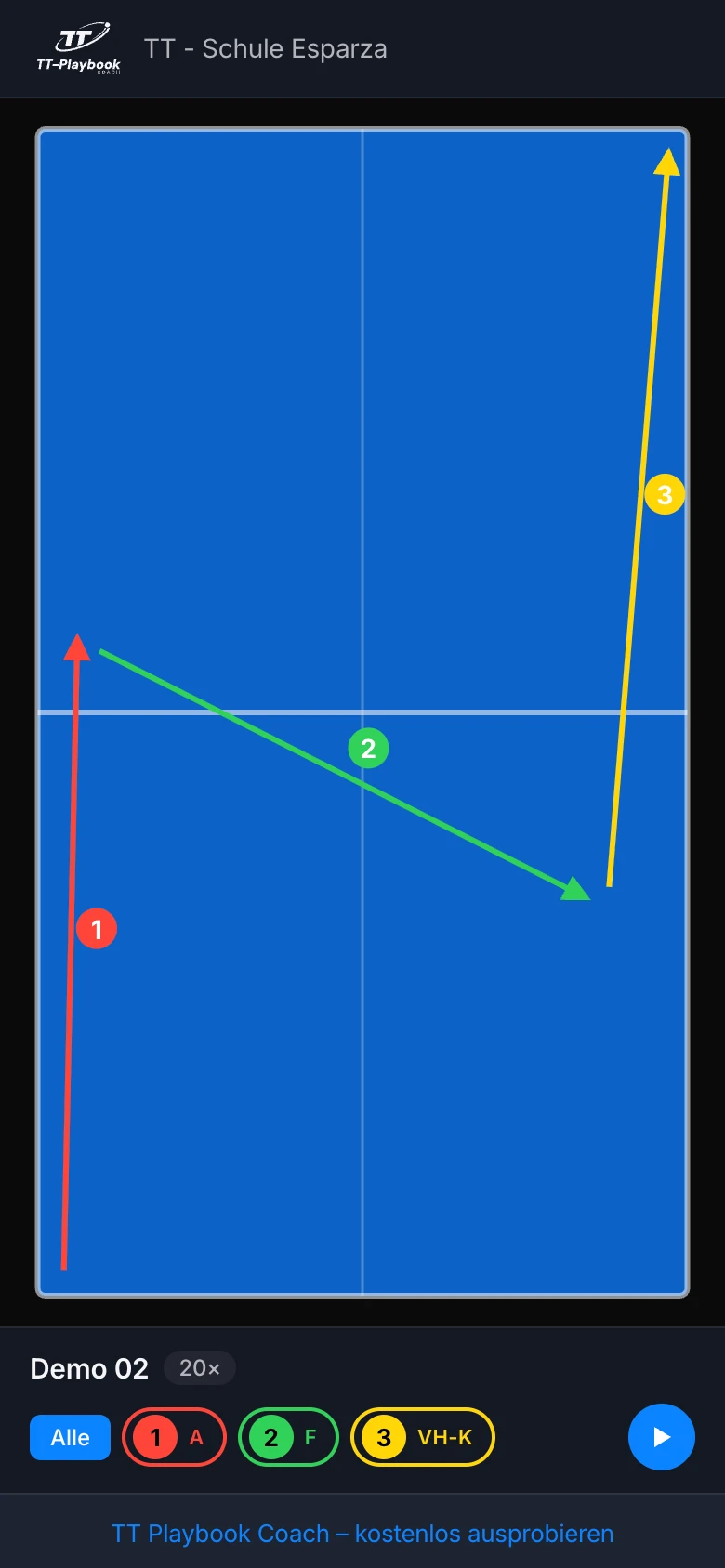
The drill runs through automatically on the player's phone — your coaching hint synced to the arrow. No app, no account.
A good drill, drawn once, is gone the next day.
Search and filter across every drill — each one stays, always on hand, organised in lists.
Visuals fail when not every player reads the same language.
German, English, Spanish — every player sees stroke notation in their language.
One stroke per shot, like at the whiteboard — the app numbers automatically and colours by order. Red for shot 1, green for 2, yellow for 3. After three drills, your players read the sequence intuitively.
18 shot types from the DTTB syllabus, free-text notes per arrow, undo any time, auto-renumbering on delete.

Share link, QR code or AirDrop — players open the drill in the browser, no account needed. The viewer plays steps automatically or lets them tap through manually.
Your coaching note per step, synced with playback. A personal message from the coach as a popup. Revoke at any time in settings.
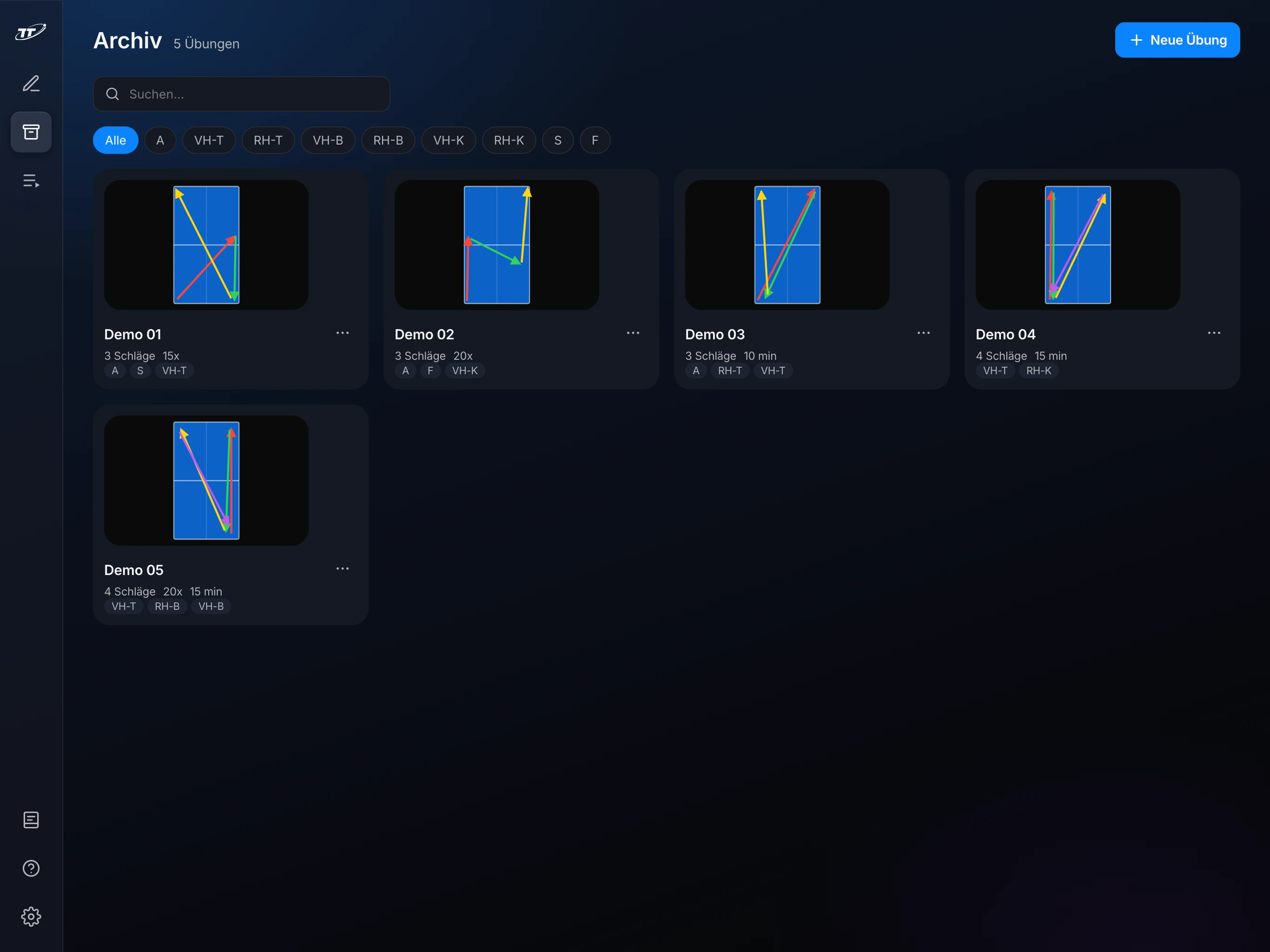
Search by name and stroke types, filter by stroke, thumbnails right in the grid view. Duplicate for variants, drag-and-drop to reorder, two taps to reuse.
The playlist player on the TV rotates through the session — prev/next via keyboard or tablet, no need to put it down.
A free-text hint per arrow — on playback it appears synced with the shot. No whiteboard can do this, no printout, no drawing app. Your coaching stays with the drill, even when the player runs it at home alone.
Hints of any length, pinned to the arrow. Synced across playback on tablet, hall TV and the player's phone.
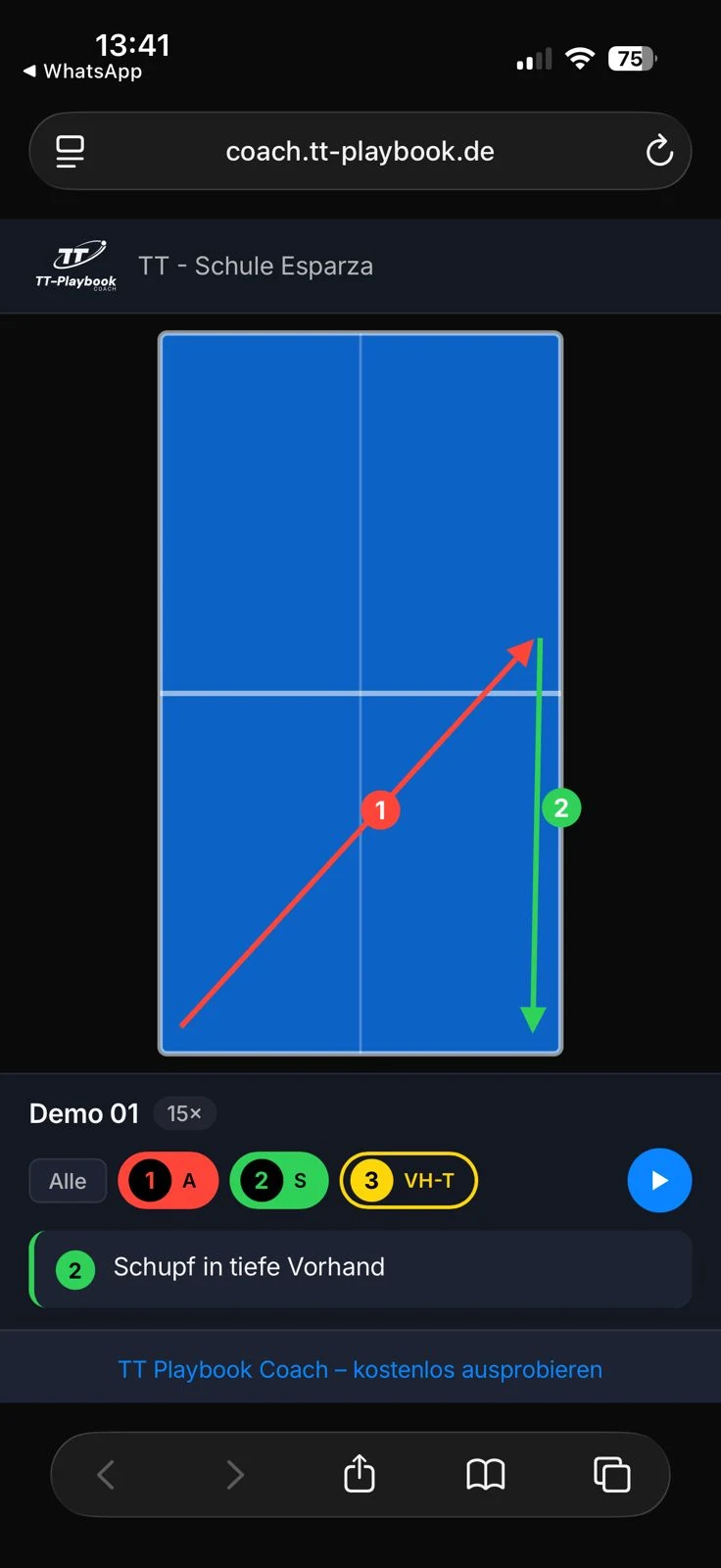
"Push deep to the forehand"
Turn on the TV, open tv.tt-playbook.de. Scan the QR code or enter a four-digit code. Connected. Every change on the tablet shows up on the big screen instantly.
Any smart TV browser will do — Fire TV Stick, laptop on HDMI, old screen with a browser. No app install.

Tablet in the hall, laptop at home, iPhone on the road — same state everywhere.
Drawing, archive, training lists work without a network. Changes sync back later.
German, English, Spanish — real terminology, not machine-translated.
Light, dark or auto. Tablet and TV switch together as the hall gets darker.
Tap "Add to Home Screen" once — feels like a native app, no store required.
18 strokes from the DTTB syllabus, plus banana and strawberry flip. Your own overview in settings.
In two minutes Coach looks like a native app — no store detour.
Cancel monthly. No credit card for Free.